Pretype — Your Mac finishes your sentences
text that exists before you type it.
Your code editor finishes lines for you. Pretype does it for everything you write on your Mac.
You type the dark half — a model on your own chip types the gray half.
The best interface is invisible — it lives at your caret.
Ghost text is the whole idea, not the whole app. Everything below is the same local model at the same caret — on keys your hands are already on.
- Tab
Fixes the typo
The macOS dictionary, floated over the word — in whichever language it reads around the caret. Esc drops it, and it never asks twice about the same word.
- Tab
Spells the emoji
macOS already knows every Unicode name, so thousands of shortcodes are offered in that same pill without a table being shipped.
- ⌥Tab
Rewrites the mess
Grammar and phrasing repaired in place, in your own tone — or the word you just typed, when nothing is selected. Always previewed, never applied behind your back.
- ⌥⇧Tab
Writes the whole reply
In front of an empty chat box it reads the conversation on screen and drafts your next message as one ghost. Opt-in, OCR’d on-device, only ever on this chord.
- on its own
Learns your words
Your names, your slang, the sentence you type ten times a day — from a model of your own writing, built on this Mac, answering before the LLM has started. Clearable, and off if you want.
- on its own
Knows when to stay quiet
Never in terminals or password managers, never while macOS reports secure input. In an app where you keep ignoring it, it stops offering — and says so in the menu, with a one-click resume.
Tab works here. And in every other text field on your Mac — no plugin per app.
Still your words. Just already typed.
Install
Drag it to Applications. No account, no wizard — a menu-bar icon, one Accessibility prompt, and a model downloaded once (≈2 GB).
Type
Write the way you always do. Ghost text appears at the caret, matched to the field’s own font. Wrong guess? Just keep typing.
Tab
Tab takes a word, ⇧Tab the sentence. The part the next Tab will take reads a step darker. With nothing showing, Tab is just Tab.
Completions, fixes and replies are each measured on their own eval — and the default is sized to your Mac's memory. You can just not care.
The ghost text Tab finishes. Eleven models against the same held-out sentences, ranked for any language you actually type in.
The selection repaired in place. This chord doesn't run on the model you picked — it runs on that model's instruct sibling, so these six rows are the siblings, and each one says which picks land on it.
A whole message drafted from the conversation on screen. Same six siblings as the fix chord — and almost the opposite ranking.
Dot size = resident memory (hollow = built into macOS) · coverage = share of cases answered · ± = this language vs the model's 17-language average
First-word accuracy with silence counted as a miss, matched cells (OpenSubtitles · Tatoeba · Leipzig) · per-language cells are thin (±5–10 pp) — compare models within a language, not numbers across languages · 07-2026
Whisker = 95% interval · red tick = how often it rewrites a line that was already correct (170 clean controls) · offered = share of lines it proposed anything on · dot size = resident memory
One real typo per line, 17 languages, through the shipped pipeline with the minimal-edit gate already inside the numbers. A correct fix phrased differently counts as a miss, so real usefulness sits above this bar. Per-language cells are 30 rows — read the whisker, not the number. The E4B 8-bit and 6-bit tiers run the 6-bit sibling, which the sweep didn't cover; the 4-bit row is its measured floor. Apple Intelligence isn't in this sweep · 07-2026
Whisker = 95% interval · answered = share it drafted anything on · dot size = resident memory · ± = this language vs the model's 19-language total
A draft counts as usable when it is in the conversation's language and doesn't parrot the screen back — a floor on usability, not a quality score; reference similarity was too noisy to book. 19 languages, 30 conversations each, so per-language cells are wide — read the whisker. Apple Intelligence isn't in this sweep · 07-2026
Every setting shows its measured cost.
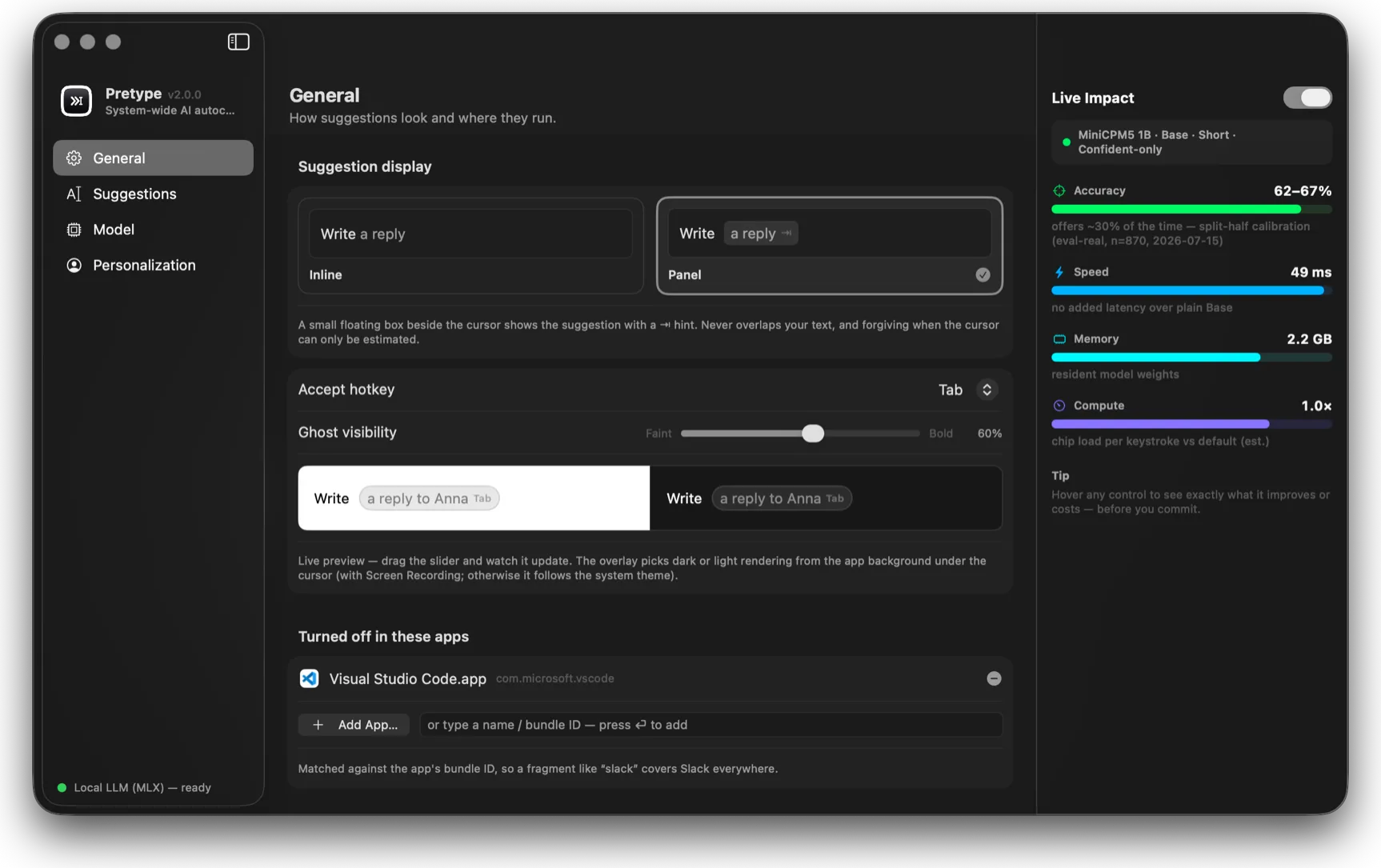
Three panes — presentation, model, personalization. Hover any control and Pretype shows exactly what it improves or costs, from real measurements.
Inline ghost or floating panel, accept hotkey, ghost visibility with a live preview — and per-app off switches.
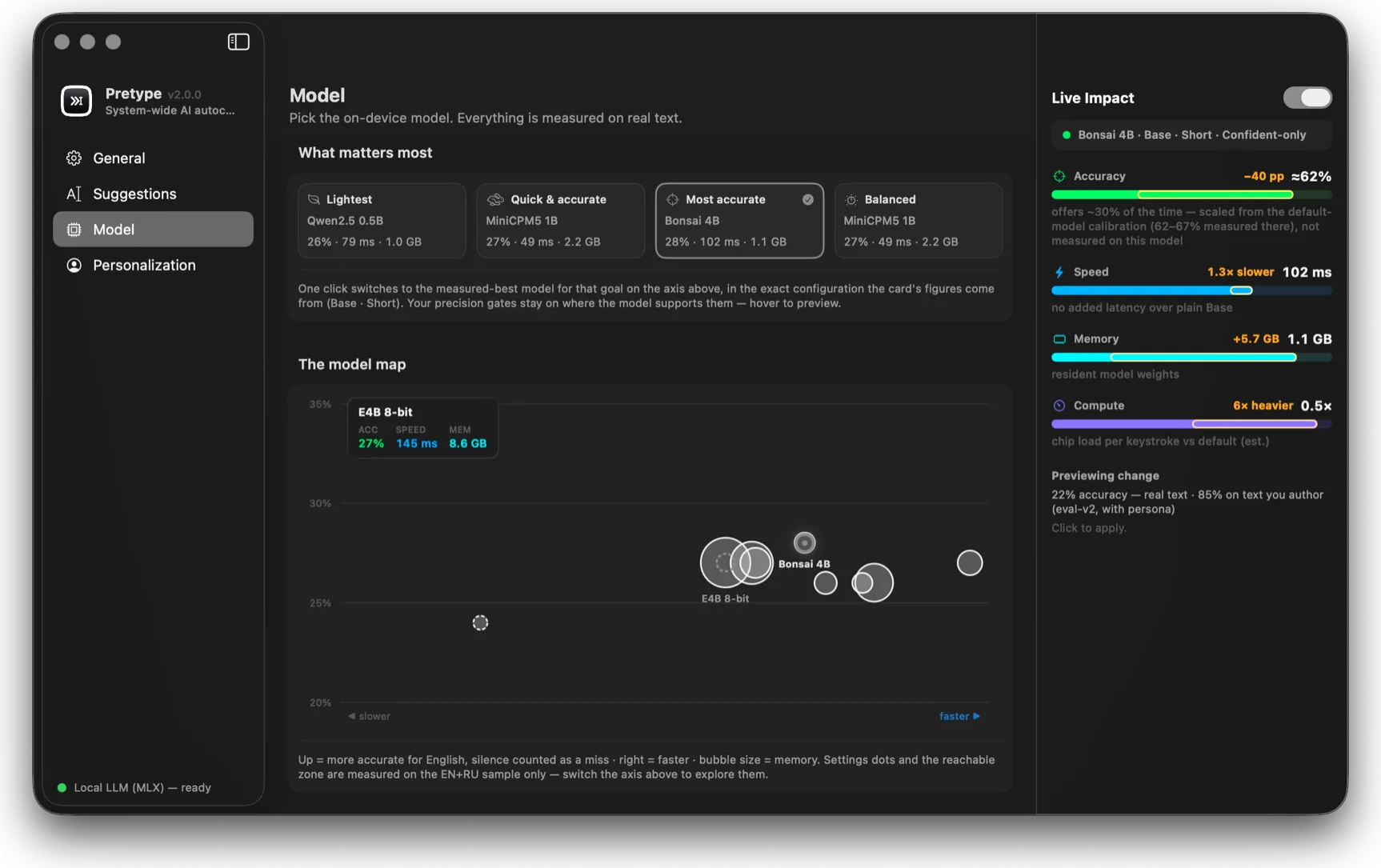
A measured map of the whole catalog: accuracy up, speed right, bubble size is memory. One click switches the model.
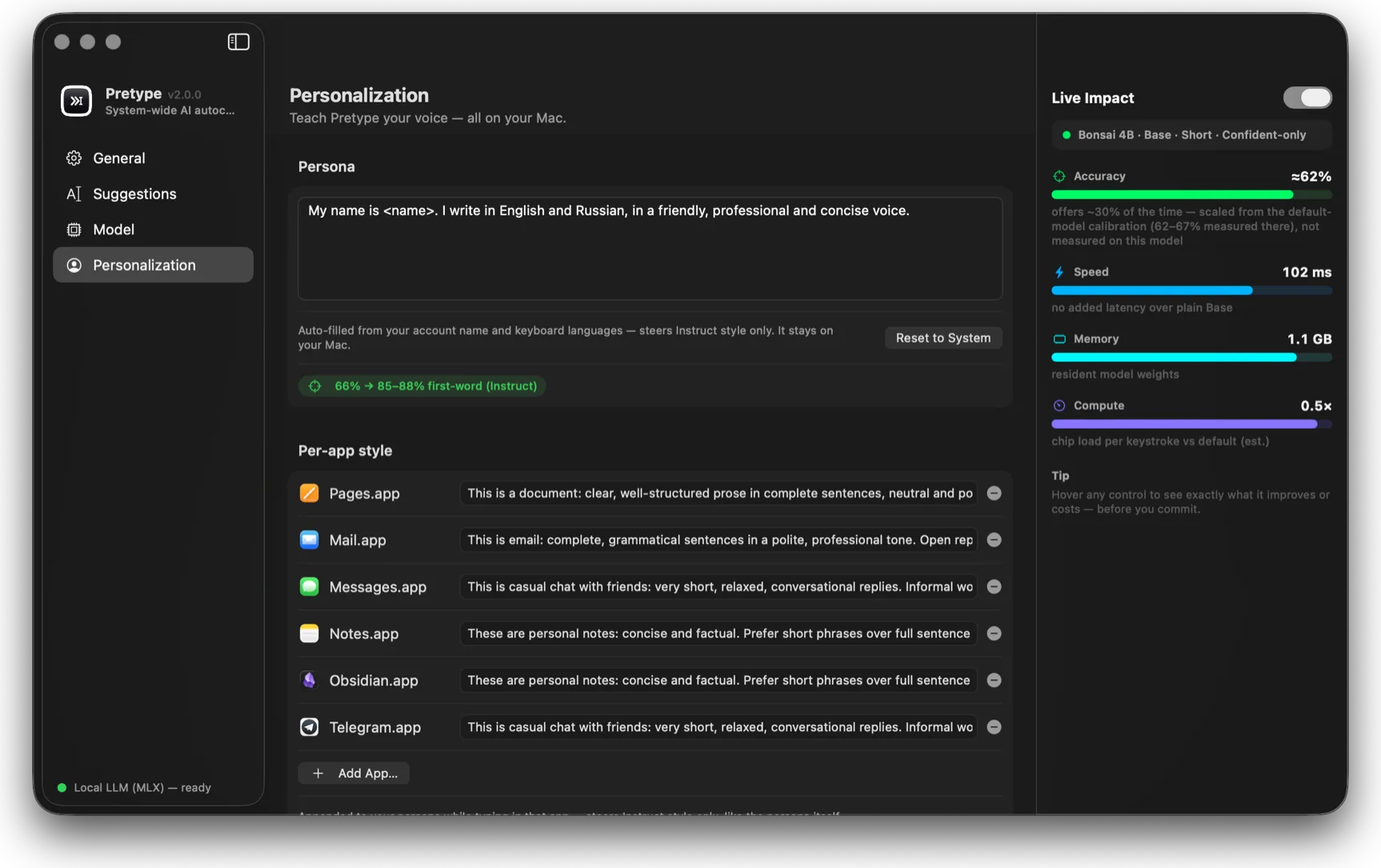
A persona plus per-app style prompts steer tone and phrasing. All of it stays on your Mac.
Your words are yours.
Don’t take privacy on faith — the entire input path is three files. Read them before you trust them.
/// Fallback for apps whose focus
/// notifications never fire (some
/// Electron builds): ask the system-
/// wide element who has focus now.
static func
systemFocusedTextElement()
    -> AXUIElement? {
  let sys =
    AXUIElementCreateSystemWide()
  guard CopyAttributeValue(sys,
    kAXFocusedUIElementAttribute,
    &ref) == .success
  else { return nil }
  return isEditableTextElement(el)
    ? el : nil
}/// CGEvent tap on key-down events.
/// The handler returns `true` to
/// swallow the event — used to eat
/// Tab while a suggestion is shown.
final class KeyTap {
func start() {
let mask = CGEventMask(
1 << CGEventType
.keyDown.rawValue)
tapPort = CGEvent.tapCreate(
tap: .cgSessionEventTap,
place: .headInsertEventTap,
options: .defaultTap,
eventsOfInterest: mask,
...)
}
}/// Inserts text by posting synthetic
/// keyboard events — the most app-
/// agnostic path (AppKit, Electron,
/// web views, terminals alike).
enum TextInjector {
/// Tags our synthetic events so
/// the key tap ignores them.
static let magicTag: Int64 =
0x5052_5459 // "PRTY"
static func insert(_ t: String) {
for c in utf16Chunks(t.utf16) {
post(chunk: c, keyDown: true)
post(chunk: c, keyDown: false)
}
}
}